
🔔 In-App Notifications
You’ll see a bell icon at the top right of your SwiftPass dashboard.
Click it to view recent updates such as:
-
New services created for travelers
-
Documents reviewed or approved
-
Re-submission requests
-
Completed applications
-
Shipments in progress
Clicking any notification takes you directly to the relevant traveler’s application.
📩 Daily Digest Email
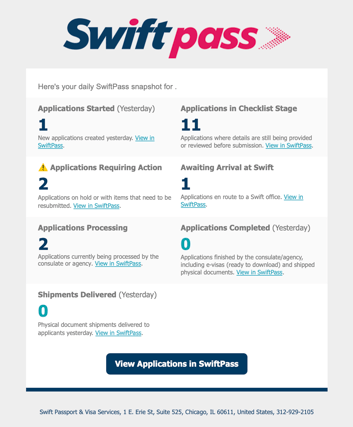
Every day, SwiftPass sends a summary email listing all traveler updates since your last login.
It includes:
-
New and completed applications
-
Missing or on-hold items
-
Any messages or follow-ups from Swift
This helps you quickly stay informed without logging in multiple times a day.
🧠 Tips for Admins
-
All notifications also appear in the in-app notification list.
-
The Daily Digest complements the dashboard — it doesn’t replace it.
-
Admins cannot adjust notification frequency at this time.
🔗 Next Step
→ Checking the Status of a Traveler’s Application (Traveler Admin)